> ## Documentation Index
> Fetch the complete documentation index at: https://dndkit.com/llms.txt
> Use this file to discover all available pages before exploring further.
# Detecting collisions
> Customize how draggable elements detect collisions with droppable targets in React. Includes closestCenter, closestCorners, pointerIntersection, and custom detectors.
## Overview
When you drag something over a droppable target, dnd kit runs a **collision detection algorithm** to decide which target is currently being hovered. The default works well for most lists, but you can customize it per droppable when you need different behavior — for example, card stacks, grids, or nested containers.
Built-in detectors are exported from the `@dnd-kit/collision` package. You don't need to install it explicitly — it's already a transitive dependency of `@dnd-kit/react`.
## Built-in detectors
All built-in detectors are exported from `@dnd-kit/collision`. If you don't pass a `collisionDetector`, dnd kit uses [`defaultCollisionDetection`](#default) automatically — you only need this guide when you want to override it.
### `defaultCollisionDetection`
The default. Runs `pointerIntersection` first, and falls back to `shapeIntersection` when the pointer isn't inside any droppable.
### `pointerIntersection`
High precision — a collision is only detected when the pointer is **inside** the droppable's bounding rectangle. Good for precise drop zones where you want the user to clearly be "over" a target.
### `shapeIntersection`
Returns the droppable with the **greatest overlap area** with the dragged element's shape. Good for large containers where any visual overlap should count as a collision. Ties are broken by distance to the pointer.
 ### `closestCenter`
First runs `defaultCollisionDetection` and returns its result when the dragged element intersects a droppable; only when there is **no intersection** does it fall back to picking the droppable whose **center point** is closest to the dragged element's center. Ideal for card stacking or grids where items should snap to the nearest slot even without overlapping it.
### `closestCenter`
First runs `defaultCollisionDetection` and returns its result when the dragged element intersects a droppable; only when there is **no intersection** does it fall back to picking the droppable whose **center point** is closest to the dragged element's center. Ideal for card stacking or grids where items should snap to the nearest slot even without overlapping it.
 ### `closestCorners`
Picks the droppable with the smallest **average corner-to-corner distance**. More forgiving than `closestCenter` at the edges of a list — useful for vertical sortable lists where you want items to pick up a neighbor as soon as the corners approach.
### `closestCorners`
Picks the droppable with the smallest **average corner-to-corner distance**. More forgiving than `closestCenter` at the edges of a list — useful for vertical sortable lists where you want items to pick up a neighbor as soon as the corners approach.
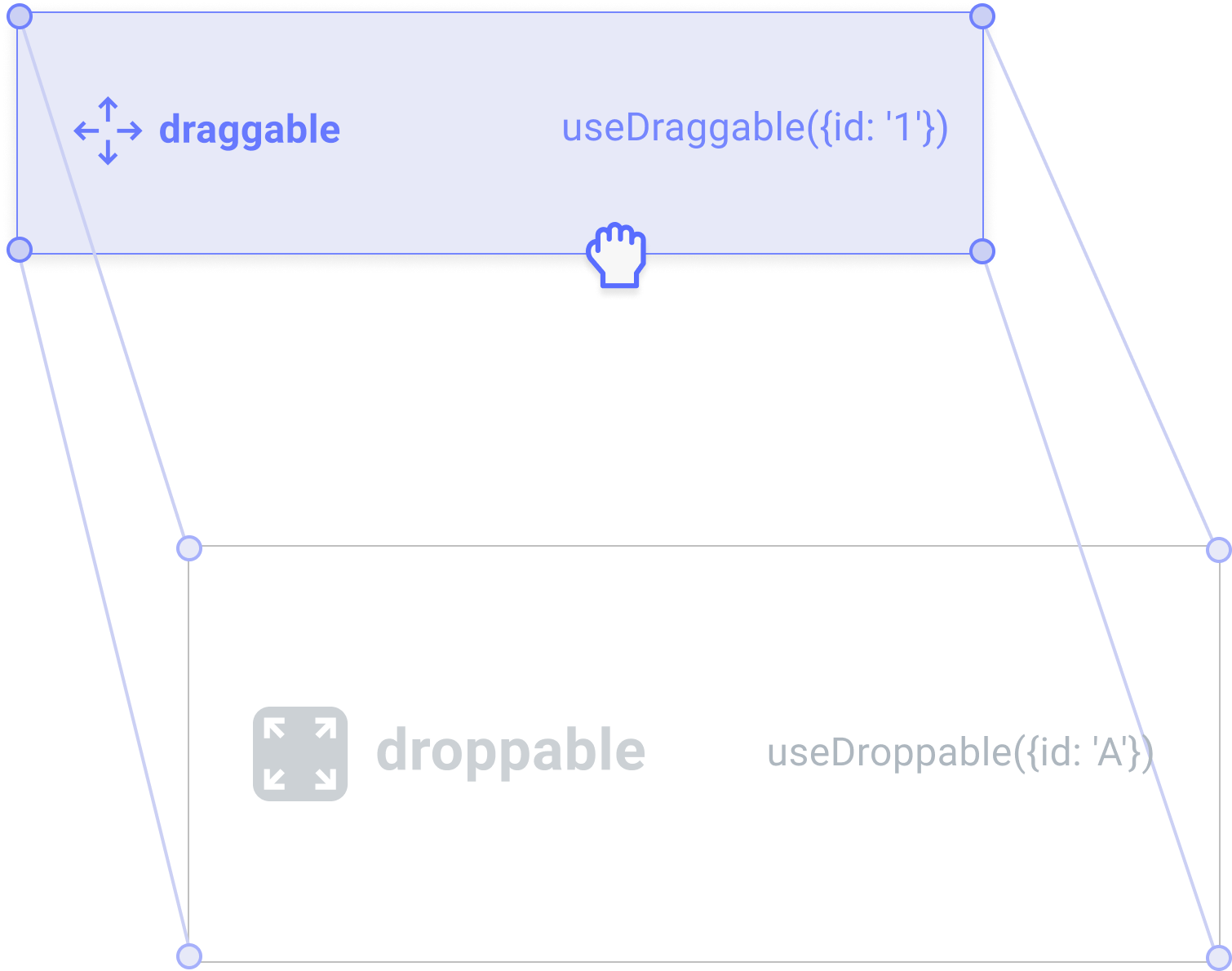 ### `pointerDistance`
Returns the droppable whose center is closest to the **pointer coordinates** (not the dragged element). Useful when you want drop detection to follow the cursor rather than the dragged element.
### `directionBiased`
Only detects collisions in the **direction the user is dragging** (up, down, left, right). Useful when you want items to only be swapped when the user drags *toward* them — prevents jitter when hovering near the edge between two targets.
## Configuring a detector
The `collisionDetector` option is set **per droppable**. Pass any built-in detector (or a custom one) to [`useDroppable`](/react/hooks/use-droppable) or [`useSortable`](/react/hooks/use-sortable):
```tsx theme={null}
import {useDroppable} from '@dnd-kit/react';
import {closestCenter} from '@dnd-kit/collision';
function DropTarget({id}) {
const {ref, isDropTarget} = useDroppable({
id,
collisionDetector: closestCenter,
});
return
### `pointerDistance`
Returns the droppable whose center is closest to the **pointer coordinates** (not the dragged element). Useful when you want drop detection to follow the cursor rather than the dragged element.
### `directionBiased`
Only detects collisions in the **direction the user is dragging** (up, down, left, right). Useful when you want items to only be swapped when the user drags *toward* them — prevents jitter when hovering near the edge between two targets.
## Configuring a detector
The `collisionDetector` option is set **per droppable**. Pass any built-in detector (or a custom one) to [`useDroppable`](/react/hooks/use-droppable) or [`useSortable`](/react/hooks/use-sortable):
```tsx theme={null}
import {useDroppable} from '@dnd-kit/react';
import {closestCenter} from '@dnd-kit/collision';
function DropTarget({id}) {
const {ref, isDropTarget} = useDroppable({
id,
collisionDetector: closestCenter,
});
return {isDropTarget ? 'Drop here' : 'Empty'}
;
}
```
The same option works on `useSortable`:
```tsx theme={null}
import {useSortable} from '@dnd-kit/react/sortable';
import {closestCorners} from '@dnd-kit/collision';
function SortableItem({id, index}) {
const sortable = useSortable({
id,
index,
collisionDetector: closestCorners,
});
return Item {id}
;
}
```
Because `collisionDetector` is configured per droppable rather than globally, different targets on the same page can use different algorithms. For example, a free-form canvas area might use `pointerIntersection` while a sortable list next to it uses `closestCenter`.
## Collision priority
When multiple droppables overlap — for example, a sortable card inside a droppable column — you can bias which one "wins" using `collisionPriority`. Higher values take precedence.
```tsx theme={null}
import {useDroppable} from '@dnd-kit/react';
import {CollisionPriority} from '@dnd-kit/abstract';
function Column({id, children}) {
const {ref} = useDroppable({
id,
collisionPriority: CollisionPriority.Low, // Cards inside will win by default
});
return {children}
;
}
```
The `CollisionPriority` enum is exported from `@dnd-kit/abstract` and provides named levels: `Lowest`, `Low`, `Normal`, `High`, `Highest`. You can also pass a plain number.
## Writing a custom detector
A collision detector is a function that receives the drag operation and a droppable, and returns a collision (or `null` if there's no collision). The return `value` is a score — higher scores win when multiple droppables collide.
```tsx theme={null}
import type {CollisionDetector} from '@dnd-kit/abstract';
import {CollisionPriority, CollisionType} from '@dnd-kit/abstract';
const myDetector: CollisionDetector = ({dragOperation, droppable}) => {
if (!droppable.shape) return null;
// Your logic here — return null for no collision, or an object:
return {
id: droppable.id,
value: 1, // Higher values win
type: CollisionType.Collision,
priority: CollisionPriority.Normal,
};
};
```
Pass it to any droppable:
```tsx theme={null}
useDroppable({id, collisionDetector: myDetector});
```
For reference implementations, read the source of the built-in detectors in [`@dnd-kit/collision`](https://github.com/clauderic/dnd-kit/tree/main/packages/collision/src/algorithms).
If you're coming from `@dnd-kit/core`, see the [Migration guide](/react/guides/migration#collision-detection) for legacy API mappings.